
BitLife Time Machine Guide (2026): How to Get, Use, Price & Best Tips
Dear fellow BitLife lovers, after spending hundreds of hours playing this highly engaging simulator, there is one feature that totally transformed my gameplay experience: The BitLife Time Machine. Whenever I made mistakes and ruined any great opportunity or lost some special character in this game, the chance of going back in time was really a lifesaver!
No matter if you use an Android device or an iOS device, this complete tutorial will teach you everything about this amazing tool that I experienced myself while using it on various devices.
Disclaimer: BitLife is developed by Candywriter LLC. BitLife Time Machine is a third-party modification and is not affiliated with or endorsed by Candywriter LLC. BitLifeNow is an independent fan and information website.
Official BitLife Download
For the official BitLife game, visit the Google Play Store and download it from the official listing by Candywriter LLC.
How to Get BitLife Time Machine
Getting the BitLife Time Machine is quite easy if you know the right way. Just open your BitLife app, go to the store section or tap on the Time Machine icon when it appears. You can buy single rewinds for a small amount or get the unlimited version in one go. I personally prefer buying the lifetime option because it saves money in the long run. Always make sure you have the latest BitLife version installed so you don’t face any purchase errors.
What is the BitLife Time Machine?
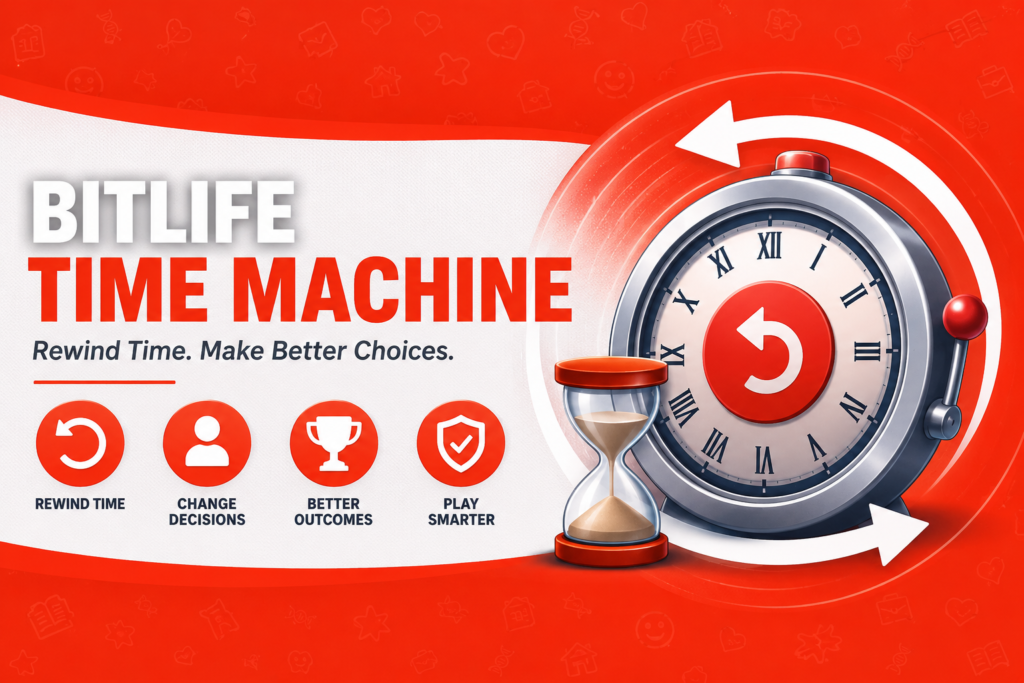
BitLife Time Machine is a paid version of BitLife, where players can go back in time and explore their characters’ life experiences. The feature was launched in 2019, and instantly, it became one of the most favorite features among gamers.
You can rewind up to several years (often around 8 years max per use, depending on the version). Your character ages back, relationships and stats reset to that point, and you get to make different choices. It even works after death in many cases!
I first used it on my Samsung Galaxy phone after a bad prison stint ruined my character’s stats. Going back felt magical, like hitting reset on a tough level.
How to Access and Use the Time Machine
Accessing it is straightforward. In the main menu or Activities tab, look for the Time Machine option. It might appear as a tornado icon.
Requirements:
- You need to pay for it (usually costs $0.99 per game or get lifetime version for about $15 – $20).
- You may use it for both BitLife for Android and BitLife for iOS applications.
- An Internet connection is necessary for most of the transactions.
Loading time was quite long on my old android phone, while it works instantly on the latest phones like Xiaomi.
Step-by-Step Guide to Rewinding Time
- Reach a Point You Want to Change — Play until something goes wrong (bad job, low stats, death, etc.).
- Open the Time Machine — Go to the menu or activities and select it.
- Choose How Far Back — Pick the year or number of years. The game shows a preview of the timeline.
- Confirm Purchase — Pay if it’s a single use.
- Live Again — Your character goes back. Make smarter choices this time!
- Check Your Journal — The game logs the time travel event.
I tested this after dying from a silly accident. Rewinding one year let me avoid the risky activity and live much longer.
Best Ways to Use Time Machine for Success
Players love it for big money plays. One popular strategy: Check crypto prices every year. When you spot a huge surge coming, use the Time Machine to go back one year, invest everything, then fast-forward to cash out massive profits. I turned a broke character into a multimillionaire this way on multiple runs.
Other great uses:
- Escape prison by rewinding before the sentence.
- Avoid or cure diseases by changing lifestyle choices.
- Fix broken relationships or prevent family deaths (with some limitations).
- Optimize career paths, like becoming a famous actor or athlete.
In BitLife God Mode combined with Time Machine, you can experiment endlessly.
BitLife Time Machine Mod APK (Unlimited Free)
If you don’t want to spend money again and again, many players use BitLife Time Machine Mod APK. These modified versions give you unlimited Time Machine access completely free along with God Mode and other premium features. I have tried a few working mods myself and they make the game much more enjoyable. Just remember to download from trusted websites and keep your device safe with good antivirus. This way you can rewind as many times as you want without any restrictions.
Pros and Cons of the BitLife Time Machine
| Aspect | Pros | Cons |
| Cost | Single uses are cheap; unlimited option available | Adds up if you use it often without unlimited |
| Flexibility | Rewind years, fix major mistakes | Can’t fully prevent natural family deaths |
| Accessibility | Works post-death, easy menu access | Requires payment and sometimes internet |
| Fun Factor | Feels empowering, great for perfectionists | Can make the game feel less challenging |
| Device Performance | Smooth on modern phones | Minor lag on very old devices |
From my testing, the pros heavily outweigh the cons if you play a lot.
Is BitLife Time Machine Safe?
Many people ask me whether using BitLife Time Machine is safe or not. The official one from the game is totally safe because it is made by the developers themselves. But when it comes to modded APKs, there is always some risk involved like ban chances or security issues. I always recommend using the original BitLife Time Machine if you want zero worries. If you are using mods, do it carefully and never share your personal login details.
Common Mistakes Users Make
- Buying Without Planning: Don’t waste money rewinding just one minor event. Save it for big turning points.
- Forgetting Journal Entries: Always check the journal after time travel — it helps track changes.
- Resetting the App: Restarting after using it can undo the effect and waste your purchase. I learned this the hard way once!
- Ignoring Limitations: Expecting it to revive everyone permanently. Family members often die again at the same point.
- Using It Too Early: Wait until you’ve explored the current timeline fully.
Avoid these, and you’ll get way more value.
Helpful Tips and Best Practices
- Combine with Mods: Check BitLife Mod APK options for enhanced features, but stick to official for safety.
- Test on Different Devices: It runs great on BitLife PC emulators too if you want a bigger screen.
- Save Money First: Build up in-game cash before big investments, then rewind strategically.
- Age Up Smartly: After rewinding, focus on health, happiness, and smart relationships.
- Unlimited Purchase: If you play daily, the unlimited Time Machine is worth it long-term.
I always use it in “challenge” runs where I aim for specific achievements like becoming a zillionaire or president.
BitLife Time Machine vs Other Features
Compared to BitLife Old Version gameplay (no Time Machine), this feature adds replayability. God Mode gives god-like control, but Time Machine feels more “earned” since it lets you correct real mistakes.
On BitLife iOS vs Android, the feature is identical, though purchase prices might vary slightly by region.
Final Verdict
Time Machine in BitLife is the best feature ever for those people who are fed up with failure. It has been a blessing in disguise for me in turning my worst lives into legends; however, it costs a little.
If you wish to take full control of your BitLife journey, go ahead and download its unlimited version for free experiments. Along with the BitLife God mode, you will become able to create any life you want.
Disclaimer: This is just a guide for entertainment purposes. BitLife Time Machine is an official paid feature. We don’t provide any modded or cracked versions. Use at your own risk. Not affiliated with BitLife.