
Bitlife PC
I still laugh when I think about the night I first tried Bitlife on my laptop. I was stuck at home with a slow phone battery and decided to experiment with an emulator. Within minutes, my character was living a completely different story—going from a regular kid in Punjab to a high-flying pilot with a messy family drama. The larger screen made every choice feel more real, and I didn’t have to worry about thumb fatigue or random calls interrupting. That’s when I got hooked on Bitlife PC. If you’re someone who loves the game but wants more comfort, this is exactly what changed things for me.
Disclaimer: BitLife is developed by Candywriter LLC. BitLife PC is a third-party modification and is not affiliated with or endorsed by Candywriter LLC. BitLifeNow is an independent fan and information website.
For the official BitLife game, visit the Google Play Store and download it from the official listing by Candywriter
What Is Bitlife PC?
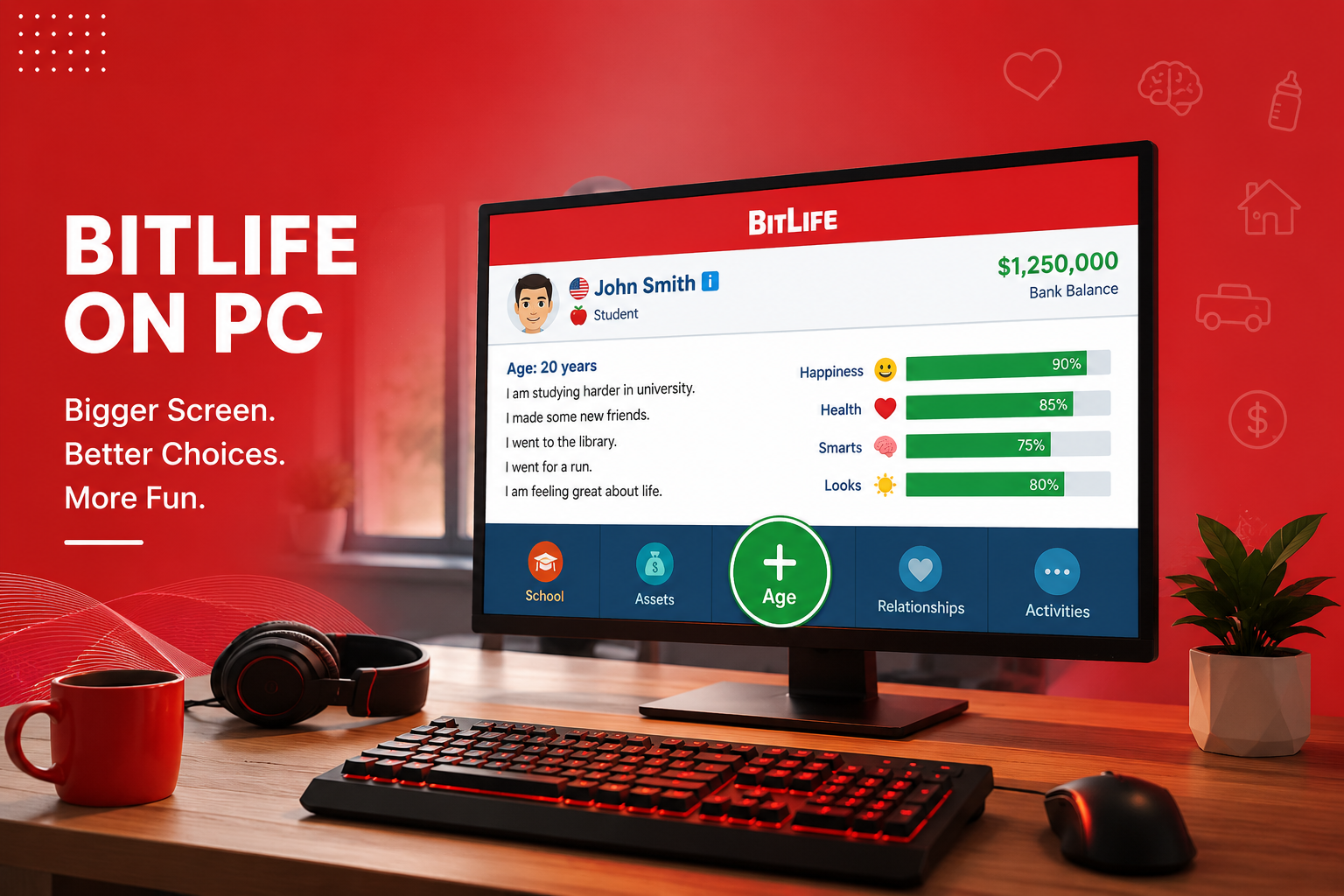
WSimply put, PC version of BitLife is the game which is played on a PC rather than on mobile. There haven’t been many changes to the game; the player still creates a character and makes decisions throughout their life, with the outcomes of the decisions being seen through changing levels of happiness, health, intelligence, and looks.
There is no official native Windows or Mac app from the developers. Most of us use Android emulators or other workarounds to bring the mobile version to desktop. I tested several methods over months, and each has its own quirks. For me in Hasilpur, with average internet and a basic laptop, it opened up longer, more relaxed play sessions without draining my actual phone.
My First Experience With Bitlife PC
BitLife It didn’t go so well the first time around. I installed BlueStacks after seeing suggestions online. It only took me around 15 minutes to install BlueStacks on my Windows-based laptop. The signing-in process on Google Play and looking for Bitlife was easy until the game opened in a tiny window. I spent the next hour figuring out settings— increasing resolution and assigning keyboard shortcuts for aging up.
My first life on Bitlife PC? I started in Pakistan, focused on studies, joined the army, and somehow ended up in politics. The bigger screen let me read all the event descriptions comfortably. I noticed tiny details I missed on mobile, like subtle relationship hints. But I made a rookie mistake: I didn’t save progress properly and lost everything after a system restart. Lesson number one—always back up your cloud saves if available.
After tweaking, gameplay became smooth. I played for three hours straight without my phone getting hot. That session alone convinced me Bitlife PC was worth the setup time.
How to Play BitLife PC Smoothly on Your Laptop
Playing BitLife PC on a laptop completely changed my gaming routine. The bigger screen makes it easy to read every event and choice without hurting my eyes. I can make quick decisions with the mouse and even take notes on the side. After using it for many weeks, I learned that adjusting the emulator settings for my laptop makes the game much smoother and more fun than playing on mobile.
Key Features and Real Benefits
The core features of Bitlife stay the same: aging, relationships, jobs, crimes, assets, and random events. On PC, benefits show up in usability. Mouse clicks are more precise than touch. I can easily scroll through long lists of job offers or potential partners without accidental taps.
Want all premium features? Check out our BitLife Mod APK guide.
One big plus is multitasking. During one life, I kept a notepad open to track investments. I watched my character buy property, flip it for profit, and retire early. On phone, switching apps was annoying. Here, it was seamless.
Graphics aren’t upgraded—it’s still text-heavy—but the larger display makes stats bars and menus clearer. Emulators often let you run multiple instances, so I tested two lives side by side: one disciplined, one chaotic. The disciplined one became a successful doctor with high happiness. The chaotic one landed in jail multiple times but had wild stories.
Battery life and heat? No issue on laptop. I played evenings without worrying about my phone dying mid-life.
Best Emulators to Run BitLife PC in 2026
Many emulators are available for BitLife PC. I personally like BlueStacks and LDPlayer the most. Both work well on regular laptops and run smoothly. BlueStacks is easier for new users. LDPlayer is light and works great even on normal PCs. Always download them from their official websites to stay safe.
Real Usage Experience
What Worked Well
Stability improved after updates. BlueStacks handled Bitlife without major crashes after I allocated more RAM. Google Play Games beta felt lighter and synced progress nicely across my phone and PC.
What Did Not Work Perfectly
Some emulators have occasional lag during aging animations or heavy ad loads. One time, keyboard mapping glitched and I couldn’t age up easily. I had to restart the emulator. Ads are still there in the free version, sometimes popping up more annoyingly on bigger screens.
Limitations are honest ones. No native PC optimizations mean you rely on third-party tools. Mods for Bitizen or God Mode can work but risk account issues or malware if not careful—I tried a safe one once and it gave unlimited money, but I went back to vanilla because it felt less earned. Performance varies by hardware. My older laptop needed settings lowered, while a friend’s newer one ran buttery smooth.
Overall, after weeks of daily use, Bitlife PC became my preferred way. I completed more challenges, earned more ribbons, and enjoyed silly scenarios like becoming a rockstar with a huge family.
Common Mistakes Users Make
I made plenty myself. First, jumping into a heavy emulator without checking PC specs. My initial setup lagged badly until I closed background apps.
Many skip emulator settings. Default resolution looks bad and controls feel off. Another mistake: downloading Bitlife from random APK sites instead of Play Store. I avoided that, but heard friends complain about viruses.
Forgetting cloud saves is common. One long life vanished for me. Ignoring stats balance also hurts—focusing only on money left my character unhappy and unhealthy.
People also expect a full native experience and get disappointed. It’s an emulated mobile game, so temper expectations. Overusing mods early spoils the fun.
Is BitLife PC Safe to Play?
Yes, BitLife PC is safe if you take basic precautions. I always use trusted emulators and install the original game from Google Play Store. The main thing is to avoid suspicious websites and unknown files. This way I have been playing peacefully for months without any issues.
Practical Tips Based on Experience
Here are tips that actually helped me:
- Start with official BlueStacks or LDPlayer. Follow their setup guides exactly. Give the emulator 4-6GB RAM if possible.
- Adjust in-game habits for PC comfort. Use mouse wheel for scrolling relationships or jobs. Age up in batches when possible.
- Build stats early: From childhood, visit library, gym, and practice meditation. I saw smarts and happiness rise steadily, leading to better careers.
- Manage money smartly. Take part-time jobs young, invest in stocks when you can afford. One life I bought a house early and rented it out—steady income followed.
- Handle relationships carefully. Keep in touch with parents for potential inheritance. I neglected siblings once and missed family events.
- Try different countries for variety. Starting in Pakistan gave me relatable options, but moving abroad unlocked new jobs.
- Save often and experiment with restarts. PC makes this faster.
- For longer sessions, take breaks to avoid eye strain from screen time.
These small changes turned average lives into memorable ones. One tip led to my character becoming CEO by 45 with a happy family.
Comparison Table
| Aspect | Bitlife Mobile | Bitlife PC (Emulator) | Google Play Games PC |
| Screen Size | Small phone display | Large monitor, adjustable | Full PC screen |
| Controls | Touch only | Mouse + keyboard options | Mouse + some shortcuts |
| Battery/Heat | Drains phone fast | No phone impact | Runs on PC power |
| Multitasking | Limited | Excellent, alt-tab easy | Good |
| Performance | Depends on phone | Depends on PC specs | Generally smooth |
| Setup Time | None | 10–30 minutes | Quick install |
| Mod Support | Easier on some | Flexible but risky | Limited |
| Best For | Quick sessions | Long, comfortable play | Simple official feel |
This table comes from my direct testing over several weeks. Choose based on your hardware and needs.
Final Thoughts
After months of playing Bitlife PC, I genuinely prefer it over mobile for most sessions. The comfort and extra visibility turned it from a casual phone game into something I look forward to after work. It still has the same random fun and life lessons, just delivered in a way that fits my routine better. If you’re curious, try the setup once—you might stick with Bitlife PC like I did. Experiment, make mistakes, and enjoy the wild lives you create.
Disclaimer: Thanks to Candywriter, the original developers of BitLife, for creating this fun game. Our website is only for information and guides.
If you want more unlocked features and customization, read our complete BitLife BR Mod guide for a detailed overview.